
Install AnyDub in Chrome
Add the extension and open the meeting, video or live stream you want to understand.
 AnyDub
Listen to a meeting, video or live stream in your own language while it plays. AnyDub turns speech from your Chrome tab into translated audio and live subtitles in 70+ languages. No video upload and no bot joining your call.
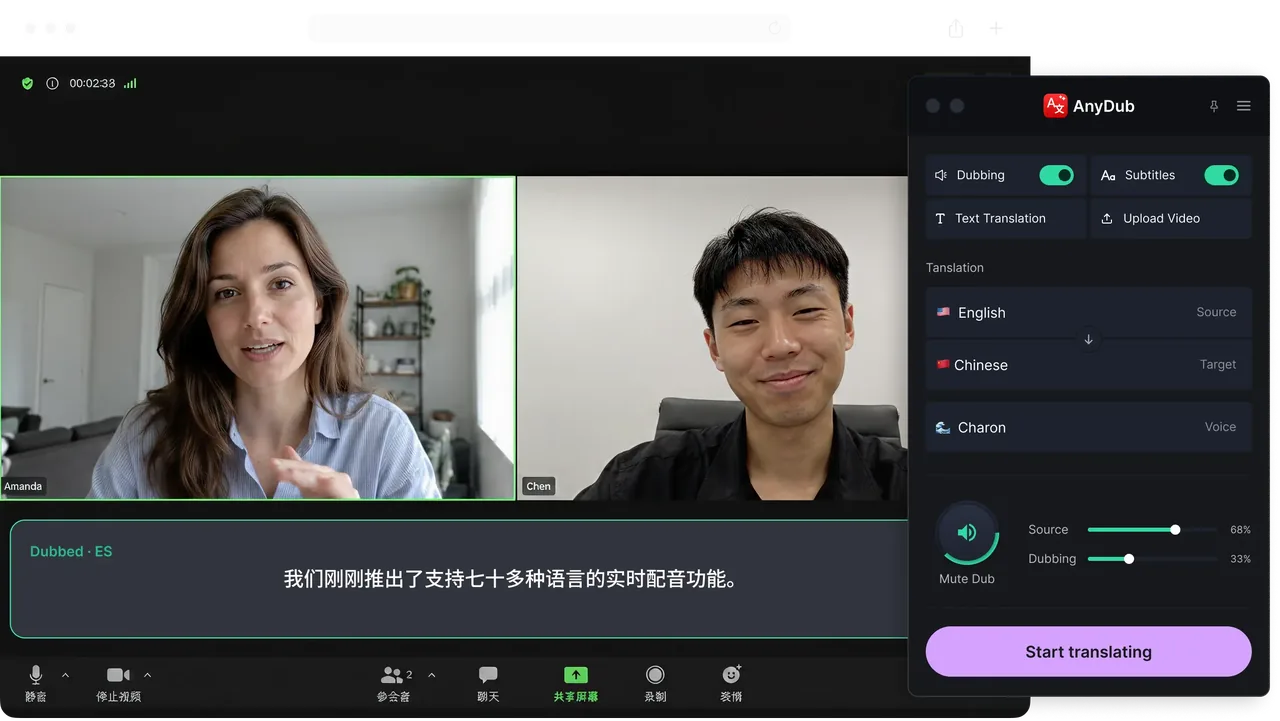
Add the extension and open the meeting, video or live stream you want to understand.
Select the language you want to hear and enable spoken translation. Live subtitles are available too.
Hear translated speech while the original audio continues. Adjust the original and translated voices in the mixer.
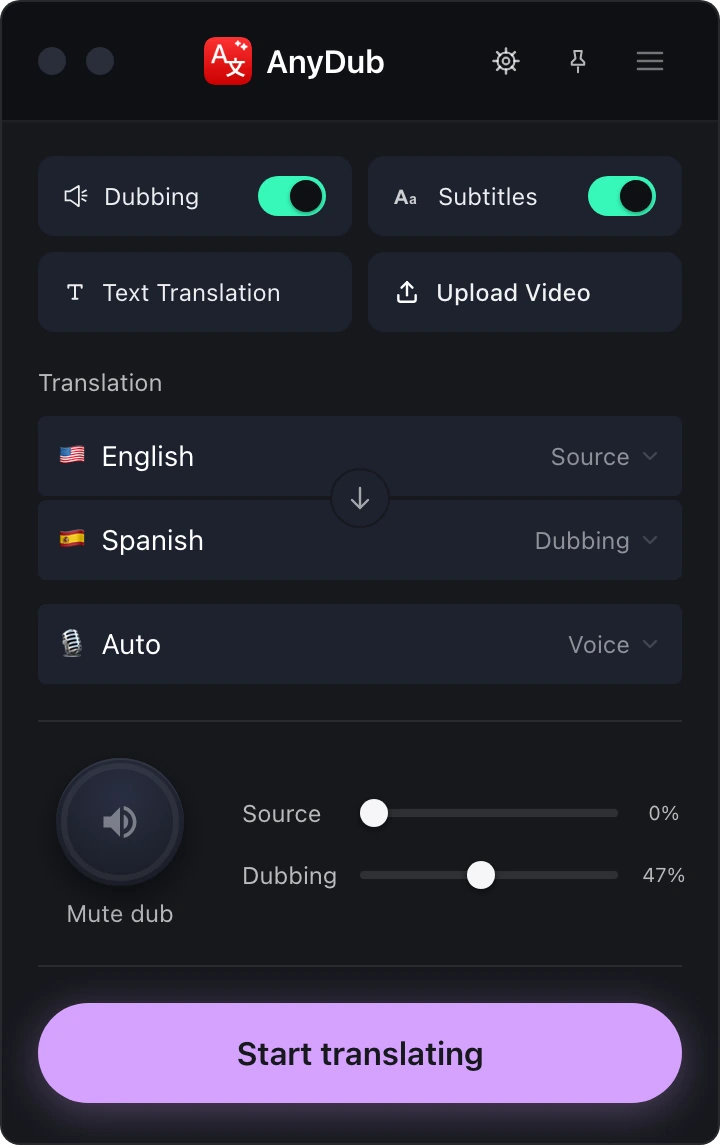
Simultaneous interpretation means hearing speech in another language while the speaker continues. People also call it simultaneous translation. AnyDub brings that listening experience to browser audio using AI speech recognition, translation and spoken output.
You do not wait for a finished recording. The translation follows the speech as it arrives, with a processing delay. It is for understanding what is happening now, whether you are following a presentation or watching a foreign-language video.
Install on ChromeTranslated captions help you read along. Real-time voice translation lets you listen in your chosen language instead. AnyDub offers both, so you can hear the translation and use subtitles to follow names or unfamiliar phrases.
The audio mixer lets you adjust the original speech and translated voice separately. Keep some of the original audio for tone and speaker cues, or lower it to focus on the translation.
Install on Chrome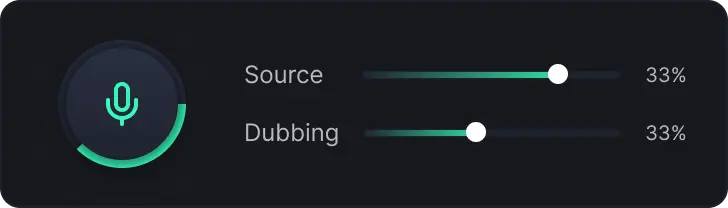
Use AI simultaneous translation for a live meeting, webinar, lecture or presentation running in Chrome. That includes Zoom in the web client and Google Meet. AnyDub translates the incoming tab audio on your side of the call.
For YouTube videos and live streams, the same process works while you watch. Unlike upload-and-render dubbing, it does not require a completed file or a separate translated video.
If both participants want to hear each other in their own languages, each needs AnyDub and their own target language. See two-way conversation translation for that setup. One installation does not broadcast a translated voice to everyone in the meeting.
Install on ChromeTranslation follows the speech; it is not instant. The system needs enough audio to understand a phrase before speaking the translation. Delay varies with the language pair, speaker pace, connection and sentence structure. See how AnyDub works for the streaming translation process.
Clear speech gives the AI more to work with. Background noise, people talking over one another, unfamiliar names and technical vocabulary can affect accuracy. Keep subtitles visible when you want a second way to follow the translated speech.
AI interpretation and human interpretation serve different needs. AnyDub provides automated translation for everyday listening. A professional interpreter brings context, preparation and judgment that an automated system cannot guarantee. For conversations where an error has serious consequences, arrange qualified human interpretation.
Live dubbing is a listening experience. AnyDub plays translated audio as the source plays. It does not promise a finished, edited voice track, lip synchronization or a clone of the original speaker. Compare the workflows on the real-time dubbing tools page.
Simultaneous translation is spoken translation delivered while the original speaker continues speaking. The professional term is simultaneous interpretation. With AnyDub, AI translates audio from a Chrome tab and plays it in your chosen language with a processing delay.
Both terms are used for translating speech as it happens. Interpretation is the professional term for spoken language, while translation often refers to written text. AnyDub provides AI spoken translation rather than a human interpreter.
Both. You can enable a translated voice to hear the speech in your language, display live translated subtitles, or use them together. The mixer controls the original and translated audio levels.
Yes, when the call runs in Chrome. Use the Zoom web client or Google Meet in a browser tab. AnyDub translates the incoming audio for you without adding a bot to the participant list.
Yes. AnyDub translates audio from the browser tab while a video or live stream plays. You do not need to download the video or wait for a translated file.
No. AI needs time to process speech and produce translated audio. There is a delay, which varies with the language pair, speech, connection and sentence structure.
No. AnyDub translates incoming browser audio for the person using it. For a two-way translated conversation, each participant installs AnyDub and chooses the language they want to hear.
AnyDub supports translation in 70+ languages. Select your target language in the extension before starting.
AI translation can help with everyday videos, lectures and meetings. It can make mistakes and does not provide the judgment or accountability of a qualified interpreter. Use professional interpretation when accuracy is critical.
Install the extension, pick a language, and you are live.
Install on Chrome