AnyDub AnyDub

Translate YouTube videos into any language

Watch any YouTube video with translated subtitles directly inside the player, plus optional real-time dubbing in 70+ languages. AnyDub runs in your browser, so there is nothing to download and nothing to re-upload.

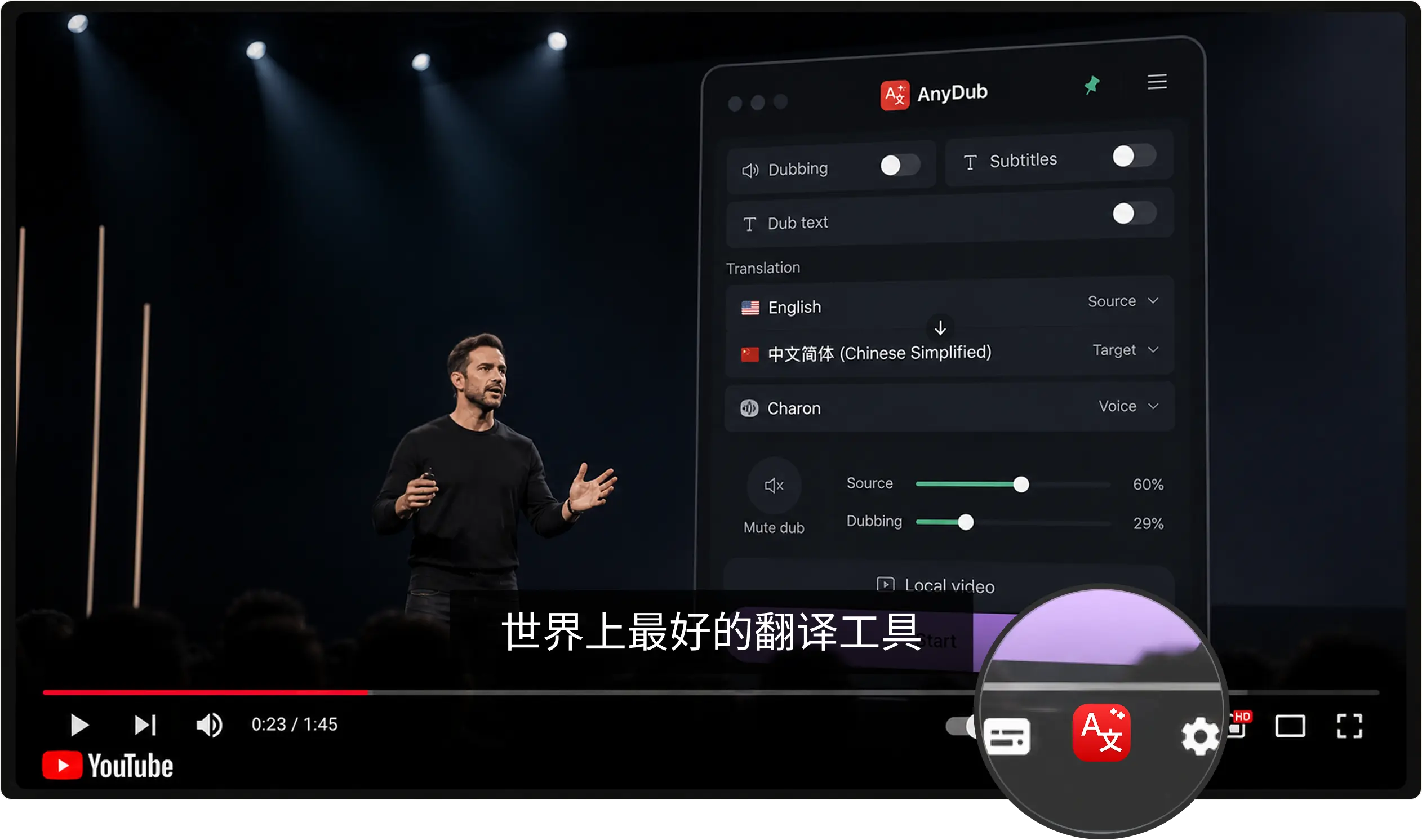
AnyDub showing translated subtitles inside the YouTube player

Translate a video in three steps

1

Install AnyDub

Add the free extension to Chrome in one click. No account is needed to start.

2

Open any YouTube video

Press play, then click the AnyDub button in the player or the toolbar icon.

3

Pick your language

Choose from 70+ languages and get instant subtitles, spoken dubbing, or both.

Subtitles inside the player

Translated captions appear directly in the YouTube player as the video plays. There is no separate window to manage and no waiting for the whole video to be processed first, because the subtitles keep up with the video live.

AnyDub language and voice selection

70+ languages in both directions

Translate from whatever language a creator speaks into the one you read or hear best, from Spanish and Hindi to Arabic, Mandarin, Japanese, Hebrew, and Portuguese. It even works on videos that have no captions of their own, because AnyDub translates the audio itself.

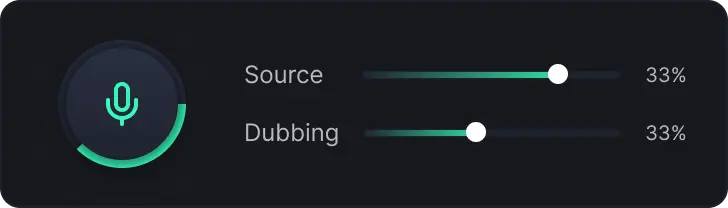
Never lose the original voice

A built-in mixer blends the creator's voice underneath the translated track at any volume, from fully muted to fully audible, so you follow along in your language without losing their tone, their emphasis, or the moments where the original just sounds better.

AnyDub mixer blending the original Source and translated Dubbing volumes

Questions about YouTube translation

Does AnyDub work on any YouTube video?

Yes. It works on any public YouTube video that plays in your browser, including videos that have no captions of their own, because AnyDub translates the spoken audio itself rather than relying on existing subtitles.

Do I need the video to already have subtitles?

No. AnyDub transcribes and translates the audio in real time, so it works even when a video has no captions at all.

Can I get dubbing instead of just subtitles?

Yes. You can show translated subtitles inside the player, play spoken dubbing over the video, or use both at the same time.

Which languages can I translate YouTube into?

More than 70, including Spanish, French, Mandarin, Arabic, Hindi, Japanese, Portuguese, Hebrew, and many more.

Is translating YouTube with AnyDub free?

You can start for free. Every plan includes YouTube translation; paid plans differ only by how many minutes of translation you get each month.

Start watching YouTube in your language

Install the extension, open a video, pick a language, and you are live.

Install on Chrome